DK Hardware 2026-09-07 - 03:24:46
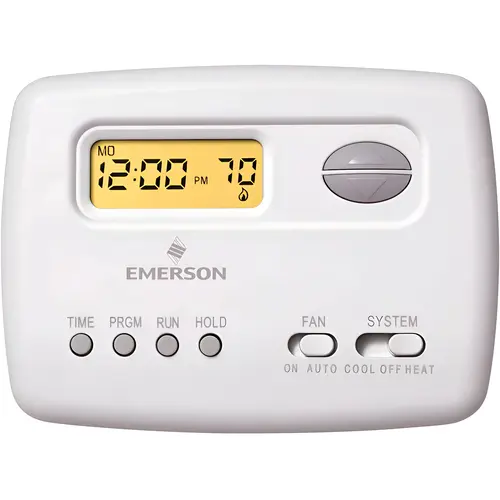
To program your Emerson 1F78-151 thermostat, follow these steps:
### Set Time and Day
1. **Press TIME**: Hour blinks; use arrows to adjust.
2. **Press TIME again**: Minutes blink; use arrows to adjust.
3. **Press TIME again**: Day blinks; use arrows to select.
4. **Press RUN** to finish.
### Set Schedule (Heat or Cool)
1. Set **SYSTEM switch** to HEAT or COOL.
2. **Press PRGM**: Adjust time/temp for each period using **TIME** and arrows.
3. **Press PRGM** to move to next period. Repeat for weekend settings.
4. **Press RUN**.