DK Hardware 2024-04-13 – 20:48:24
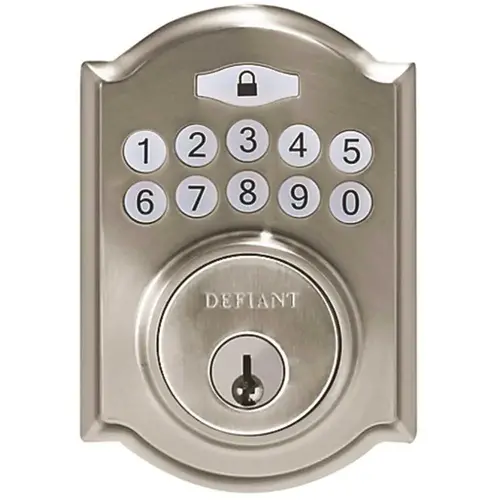
To change the code for your Defiant Castle Satin Nickel Single Cylinder Electronic Keypad Deadbolt (model GA7X2D01AA), follow these steps:
Locate the User Manual: First, find the user manual that came with your deadbolt. If you don’t have a physical copy, you can usually find it online. You can download the instruction manual for the Defiant G7X2D01AA from here1.
Access the Programming Mode:
Enter your current master code (if you haven’t changed it, the default is usually provided in the manual).
Press the program button (usually located on the interior side of the deadbolt).
The deadbolt will beep or flash to indicate that it’s in programming mode.
Change the Master Code:
Enter your current master code again.
Follow the instructions in the manual to set a new master code. Usually, this involves entering the new code followed by the program button.
Add or Delete User Codes:
To add a new user code:
Enter the master code.
Press the program button.
Enter the new user code.
To delete a user code:
Enter the master code.
Press the program button.
Enter the user code you want to delete.
Test the New Codes:
Lock and unlock the deadbolt using the new codes to ensure they work properly.
Remember to consult the specific instructions in the user manual for your exact model, as there might be slight variations. If you encounter any issues, refer to the warranty information provided by Defiant 2. Happy securing!