DK Hardware 2024-07-21 – 21:11:04
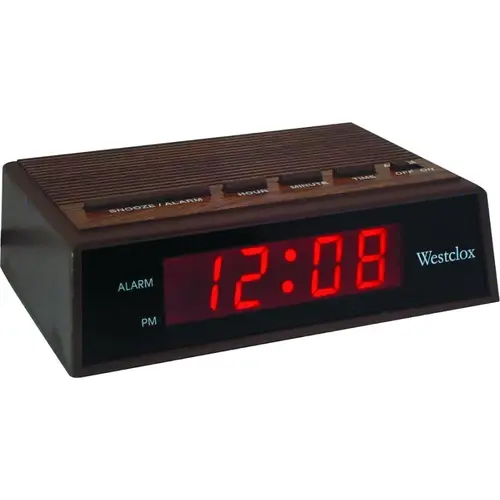
To set the alarm on your Westclox 71043 small bedside alarm clock, follow these steps:
Press and hold the “Alarm Set” button: This button is usually located on the front or top of the clock.
Set the hour: While holding the “Alarm Set” button, use the “Hour” button to set the desired hour. Make sure to pay attention to the AM/PM indicator.
Set the minutes: Continue holding the “Alarm Set” button and use the “Minute” button to set the desired minutes.
Release the “Alarm Set” button: Once the correct time is set, release the button to save the alarm time.
Activate the alarm: Press the “Alarm On/Off” button to turn the alarm on. An indicator light will show that the alarm is set.